You’re working on a feature, things are flowing, and then suddenly:
(speed > ) {
	showWarning (); }
showWarning (); }
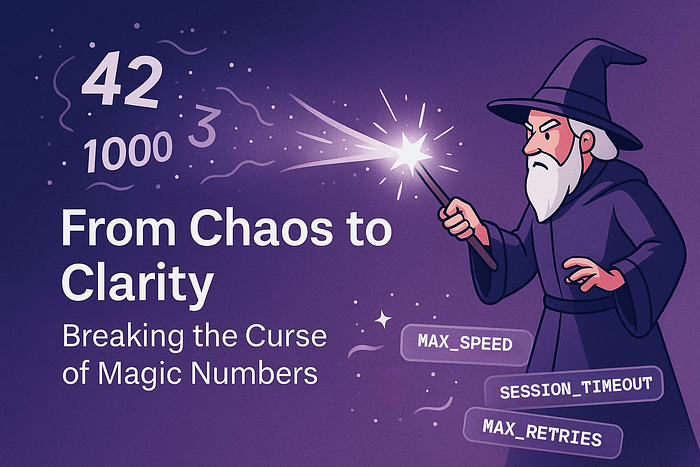
Boom. A magic number just entered your codebase. It seems innocent — tiny even — but it’s now a hidden landmine for anyone trying to maintain this code in the future (probably… you).
In this post, we’re going to explore:
- What are magic numbers?
- Why they cause problems
- Bad vs good code examples
- Better ways to write numbers that make sense
- When it’s okay to use them (rare, but it happens)
🪄 So What Are Magic Numbers?
A magic number is a number that appears in your code without explanation — like a secret that only the original developer understood.
Examples:
(user. age > ) ... (discount > 0.25 ) ... (retries === ) ... (score >= ) ...
Why 21? Why 25%? Why 3 retries? Why 42?
Unless there's a comment or variable name explaining it, it's magic — and not in a good way.
Why Magic Numbers Are a Problem
1. They’re cryptic
Imagine reading this:
(user. trustScore > ) {
	unlockFeature (); }
unlockFeature (); }
What does 74 mean? Why not 75, 80, or 100? Is it a business rule? A fuzzy threshold? Trial and error?
You don’t know — and neither will anyone else six months later.
2. They’re scattered and inconsistent
You might reuse the same value in 3 places… but forget to change all 3 when the rule changes.
(speed > ) doSomething ()
... (currentSpeed > ) doSomethingElse ()
... (velocity > ) triggerAlert ()
... (currentSpeed > ) doSomethingElse ()
... (velocity > ) triggerAlert ()
If that 75 ever needs to become 80, you better hope you find every instance. Spoiler: you won’t.
3. They make bugs harder to catch
Magic numbers hide logic. You don’t see what the number means, so changes can break things silently.
Let’s say you hard-code a delay:
setTimeout (logoutUser, 5000 ); // wait 5s
Then a PM asks to increase the timeout. You update one place… but not the one that handles the toast message, which disappears after 4 seconds.
Now users get logged out while the “You will be logged out soon” toast is still showing. 🤦
4. They create mental overhead
Reading magic numbers means you have to do the work to interpret them.
Compare:
(points >= 100 ) applyGoldTier ();
(points >= GOLD_TIER_THRESHOLD ) applyGoldTier ();
In the second version, the logic tells you what it’s doing — no guessing.
5. They violate the “Don’t Repeat Yourself” (DRY) principle
Magic numbers almost always end up duplicated — even subtly. And duplication is the root of many maintenance headaches.
🤕 Bad Examples vs ✅ Better Alternatives
Let’s look at some realistic cases:
🔴 Bad:
(order. total > 999 ) {
	applyPremiumSupport (); }
applyPremiumSupport (); }
⚠️ What’s 999? Is it ₹999? $999? Why that number?
✅ Better:
const PREMIUM_SUPPORT_THRESHOLD = 999 ; // Users spending ₹999+ are eligible
for premium support (order. total > PREMIUM_SUPPORT_THRESHOLD ) {
	applyPremiumSupport (); }
for premium support (order. total > PREMIUM_SUPPORT_THRESHOLD ) {
applyPremiumSupport (); }
Add a comment too if needed.
🔴 Bad:
setTimeout (doSomething, 5000 );
⚠️ Five seconds for what? UI animation? Server delay? Retry interval?
✅ Better:
const RETRY_DELAY_MS = 5000 ;
setTimeout (doSomething, RETRY_DELAY_MS );
setTimeout (doSomething, RETRY_DELAY_MS );
🔴 Bad:
(user. age >= ) {
	grantAccess (); }
grantAccess (); }
⚠️ Okay… 18 is legal age somewhere. Is this age configurable? Cultural?
✅ Better:
const LEGAL_ACCESS_AGE = ; (user. age >= LEGAL_ACCESS_AGE ) {
	grantAccess (); }
grantAccess (); }
How to Fix Magic Numbers
1. Use constants with meaningful names
Put them at the top of your file or in a config file.
const MAX_LOGIN_ATTEMPTS = ;
const GOLD_TIER_THRESHOLD = 100 ;
const SHORT_DELAY = 1000 ;
const GOLD_TIER_THRESHOLD = 100 ;
const SHORT_DELAY = 1000 ;
2. Group related constants
Especially helpful for timeouts, tiers, scores, etc.
const TIERS = {
	GOLD : 100 , PLATINUM : 250 , };
const TIMEOUTS = {
	SHORT : 1000 , MEDIUM : 3000 , LONG : 5000 , };
GOLD : 100 , PLATINUM : 250 , };
const TIMEOUTS = {
SHORT : 1000 , MEDIUM : 3000 , LONG : 5000 , };
3. Use enums (especially in TypeScript)
enum Tier {
	Gold = 100 , Platinum = 250 , }
Gold = 100 , Platinum = 250 , }
Enums make logic self-documenting and help IDEs autocomplete values.
4. Use config or environment variables if needed
Some values should be dynamic — like limits that vary per environment.
const MAX_RETRIES = Number (process. env . MAX_RETRIES ) ||
5. Add comments if the meaning isn’t obvious
const SESSION_TIMEOUT_MS = 300000 ; // 5 minutes
🧙♂️ When Are Magic Numbers Okay?
If it’s a universal constant or obviously readable, it might be fine:
const secondsInMinute = ;
const MAX_PERCENT = 100 ;
const MAX_PERCENT = 100 ;
But even then — no harm in naming them.
Magic Numbers Break Trust
The problem with magic numbers isn’t just that they’re confusing — it’s that they erode confidence.
When someone sees a raw 42, they start wondering:
- What does this mean?
- Can I change it?
- Is it important?
They don’t feel safe editing the code. And that’s how bugs survive.
✨ TL;DR
- Magic numbers = hard-coded, unexplained values
- They’re confusing, brittle, and make your code smell
- Instead: use named constants, group them, comment if needed
- Only allow raw numbers when they’re obviously universal
The Real Danger
Magic numbers don’t break things today.
They break things six months from now, when nobody remembers why they existed.
And yes — that person looking confused at their own code?
That’s probably you. 😅
🧙♂️ One Last Thing
Magic numbers are like horcruxes: Powerful, dangerous and hard to track down